Download Your Template
Open the purchased project and save the processed template without changing its filename.
Use this draft guide to move your processed PrintedEdges template into Vellum, check page-border coverage, and prepare a finished export.
Open the purchased project and save the processed template without changing its filename.
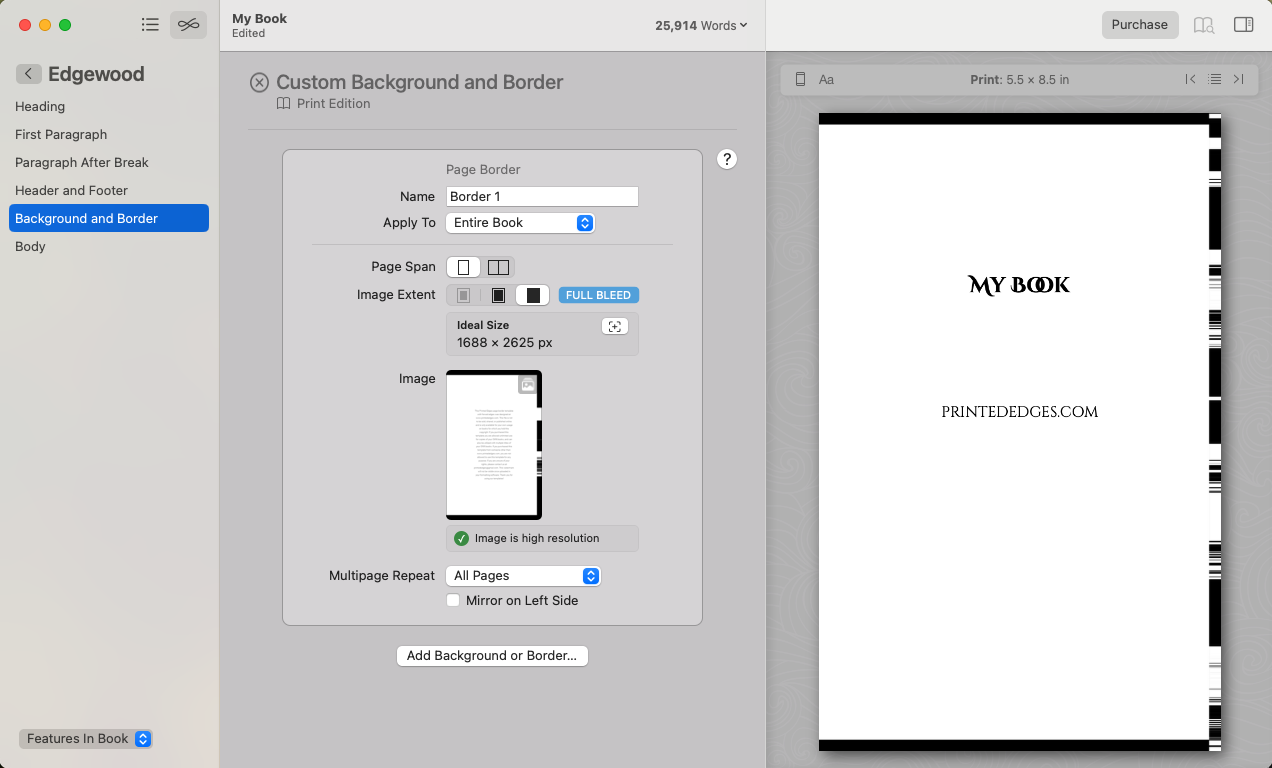
Use Vellum's Background and Border controls to add the template as a custom page border.
Inspect the complete book in Print preview before exporting the production file.
Collect the template and confirm the book details before changing anything in Vellum.
Open the purchased project and download the Final PDF (Processed PDF) template to a location you can easily find.
In the matching Vellum book, open the book style controls and navigate to Background and Border.
Select the unchanged template file, apply it to the entire book, and set the multipage repeat option to all pages.
Switch Vellum to Print preview, inspect the edge artwork throughout the book, confirm the print color setting, and export.
Complete this final check before sending the exported file to a print provider.
Continue to Getting Your Edge Design Ready For Print for download, validation, printer-upload, and proof-copy guidance.